![kb_logo_white.png]](https://kb.cybertecsecurity.com/hs-fs/hubfs/kb_logo_white.png?height=40&name=kb_logo_white.png)
Ideally, we would use a command-line tool such as nmap to complete this, as we have better control over whether we are checking devices that exist but do not respond to a ping request; however, since pings are rarely blocked, we can use the commands shown below.
You can also use an arp -a command as well, so you can view the current ARP entries.
You can run a quick command-line check with PING, as below, replacing the 192.168.1.x with your subnet address (and possibly increasing the IP Range that we are pinging) - example below is a /24
for /L %i in (1,1,254) do @ping -n 1 -w 100 192.168.1.%i | find "Reply"
In the above, -n 1 sends one ping; -w 100 waits for 100ms; and we only show hosts that reply.
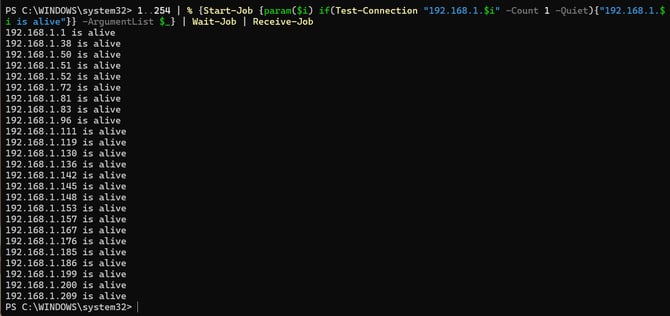
You can achieve the same in PowerShell v5.x:
1..254 | % {Start-Job {param($i) if(Test-Connection "192.168.1.$i" -Count 1 -Quiet){"192.168.1.$i is alive"}} -ArgumentList $_} | Wait-Job | Receive-Job
and PowerShell >7.x
1..254 | ForEach-Object -Parallel { $ip="192.168.1.$_"; if (Test-Connection $ip -Count 1 -Quiet) { "$ip is alive" } } -ThrottleLimit 50
COMMAND LINE RESULT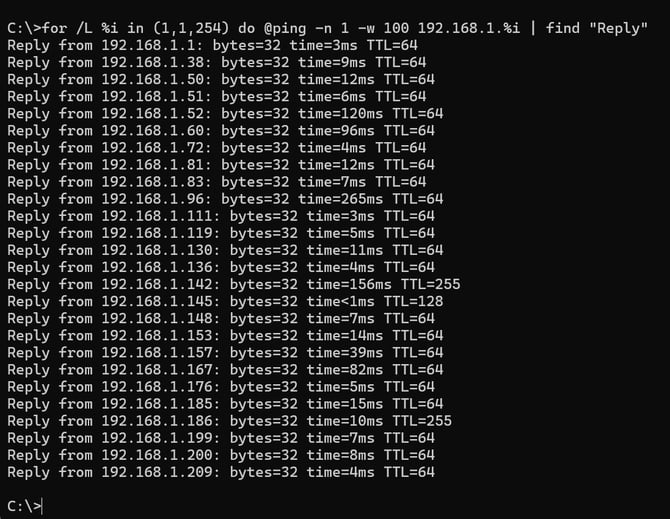
POWERSHELL RESULT